Physical Address
304 North Cardinal St.
Dorchester Center, MA 02124
Physical Address
304 North Cardinal St.
Dorchester Center, MA 02124


Mobile devices used to feel like optional tools for business. Now they’re often the first screen employees reach for during the workday. Messages, project updates, approvals, and customer interactions all happen on phones and tablets. That shift brings speed and flexibility, but it also changes your responsibility as an organization. The moment devices begin carrying sensitive data and daily workflows, managing them becomes a necessity.
Many businesses don’t notice the turning point right away. It usually happens gradually as teams grow, policies struggle to keep up, and security risks begin to surface.
Understanding when mobile device management becomes essential helps you stay ahead of problems instead of reacting to them later.
The first clear signal appears when the number of devices grows faster than your ability to track them. At the beginning, a small team might manage phones informally. Updates happen manually, and access rules depend on trust. As soon as devices spread across departments or locations, that approach starts to fail.
A structured mobile device management strategy helps you organize devices across multiple operating systems without slowing your team down. By implementing a reliable mobile device management solution, you gain centralized visibility into devices, apps, and user permissions. Instead of troubleshooting one device at a time, you can manage policies across the entire device platform from a single cloud-based platform.
Growth also introduces different device types. Some employees may rely on an Android device while others use Apple devices. Each one requires proper configuration profiles and device enrollment profile settings to ensure consistency. Without automation, onboarding new devices becomes time-consuming and inconsistent. MDM tools streamline the process, allowing devices to connect securely while maintaining application security and endpoint security from the start.
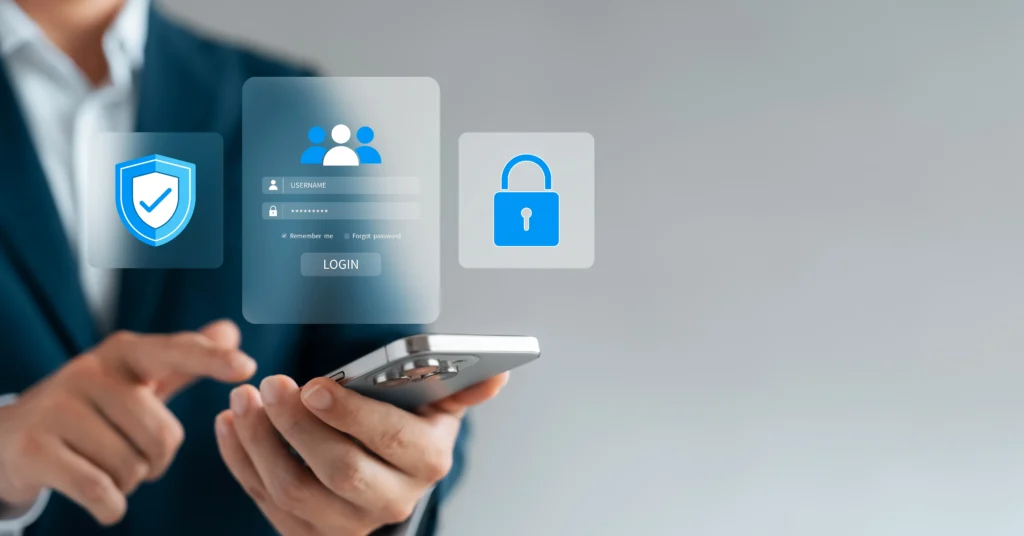
As devices connect to public networks and download various apps, cyber threats and cybersecurity attacks become harder to avoid. Even small gaps in security policies can expose company data.
Centralized policy enforcement reduces these vulnerabilities. Features such as multi-factor authentication, secure email, and virtual Private Network (VPN) access protect sensitive information while employees work remotely. Remote wipe and other remote actions give you the ability to respond quickly if a device is lost or compromised.
Application management also strengthens protection by limiting unapproved downloads and controlling updates. AI-powered endpoint security supported by machine learning can identify unusual behavior patterns before they escalate into larger incidents. Maintaining a strong security posture requires consistent monitoring, especially when your organization operates across different OS vendor ecosystems.
Another turning point happens when employees stop working from a single location. A growing mobile workforce introduces new expectations around access and flexibility. Teams want to open files, respond to messages, and collaborate without delays, regardless of where they are.
Enterprise mobility management addresses these needs by combining content Management, application management, and secure communication tools into one system. Doing so can restrict shared devices to specific functions, which works well in retail or service environments. GPS tracking supports logistics teams, while remote assistance allows IT staff to fix issues without interrupting productivity.
As mobile work expands, organizations often face an access-trust gap. Employees need quick access to tools, but unrestricted access creates risk. Strengthening device trust through structured policies ensures that only verified devices connect to sensitive systems.
A surprising sign that mobile device management is necessary is when employee productivity begins to slow down. Devices that aren’t managed consistently often create small problems that add up over time. Employees may struggle with outdated apps, incorrect user permissions, or unreliable connections to company systems.
MDM solutions help eliminate these obstacles. Automated updates, standardized configuration profiles, and clear application management practices ensure that devices stay ready for work. An application catalogue allows employees to install approved tools quickly, while remote actions reduce downtime by fixing issues without requiring physical access.
As organizations expand, maintaining consistency across devices becomes critical to stability. A cloud-based solution gives you the flexibility to add new users without rebuilding your infrastructure from scratch.
Security policies, device trust frameworks, and smart endpoint security practices work together to close the access-trust gap while supporting innovation. Features like API management and scalable configuration profiles allow you to integrate new tools without disrupting existing workflows. Maintaining endpoint security also strengthens your overall defense against cyber threats while supporting a healthy security posture.
By investing in mobile device management at the right time, you build a foundation that supports expansion rather than slowing it down. Devices become reliable tools that help teams collaborate, adapt, and grow without introducing unnecessary risk.
Mobile device management becomes a business necessity when growth, security risks, and workforce mobility reach a level that manual processes can’t support. Structured policies, centralized controls, and smart endpoint security help protect data while improving employee productivity. By recognizing the signs early, you can transition to a proactive strategy that keeps devices secure, organized, and ready to support long-term success.